
Files are collected in the chat. The signature happens on site.
Documents and details arrive through the conversation and Chattoo chases what is missing. When the customer comes in, they sign on the pad with an advanced electronic signature, and the signed document goes into the file. Without a sheet of paper.
Not just answers: complete files and valid signatures.
A tool that answers messages is everywhere. One that collects the documents for a file and takes it all the way to an advanced electronic signature, on site, is not. It is the hardest part to handle by hand, and it is the part Chattoo does for you.
Advanced electronic signature
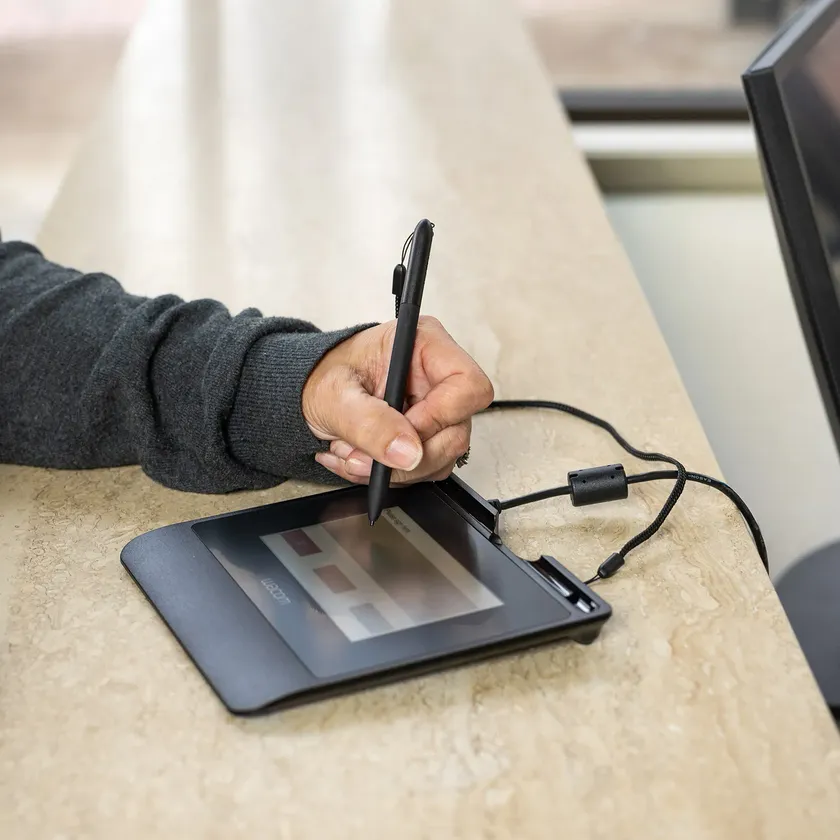
The customer signs on site, on the signature pad, in front of you. Not a tick in a chat: a real signature, tied to the document and to the person who signed it.
Linked to the file
The signed document goes straight into the right file, next to the documents and details the customer sent in the chat.
Everything on record
For every signature you know what was signed, by whom and when. No printing, scanning or paper to file away.
The customer signs in front of you.
When the customer comes into the shop or the practice, the document is already ready: prepared from the file, with the details they sent in the chat. They read it, sign on the pad and leave. You don’t copy anything out.
- Signed on the pad, with the customer in front of you.
- Document already filled in with the details of the file.
- The same templates for consents, forms and quotes.
Signed, valid and archived. Without a sheet of paper.
The signature collected on the pad is an advanced electronic signature. Chattoo archives the signed document and links it to the file, with date, time and status always verifiable.
- An advanced electronic signature, not a confirmation in a chat.
- Archived automatically in the right file.
- A traceable, verifiable history, with date and time.
- Signature
- advanced electronic · pad
- Signed on
- 09/03/2026 · 14:32
- Document
- #A7C1F · tracked
- Status
- Archived in the file
From the file to the signature, in four steps.
- 1
Open the file
Pick the template: the documents, answers and signatures you need from the customer, with a deadline. You write it once and reuse it.
- 2
The customer hands things over in the chat
They send photos of their documents and answer the questions from the conversation. Chattoo chases what is missing before the deadline.
- 3
Signed on site
When the customer comes in, they sign the ready document on the pad, with an advanced electronic signature.
- 4
Everything in the file
The signed document is archived in the file on its own, next to the documents received. You check and close.
You always know where every file stands.
To check, waiting for the customer, in progress, late, closed. Every file has its own deadline and status, and the dashboard tells you where to start.
Example with made-up data.
ID documents read themselves.
From the photo Chattoo recognises the ID document and reads its details: name, date of birth, number, expiry. You check, you don’t copy. And you can add the document types you use.
Example with made-up data.
Forms the customer fills in and signs.
The questions you always ask, like a medical history before a visit or an enrolment in a course, become a form: the customer fills it in in the chat or at the counter, and signs it on site on the pad.